
Cab Displays - MTMS & MTCS Display
ZnD trains cabs give the driver a whole lot of useful information. Part of this information system are the MTMS and MTCS display.
There currently are two different cabs in ZnD. One is the BR 101s and the other the FLIRT 3s cab.
You can see the standard driver display configuration below. The MTCS display is red and the MTMS display is green.
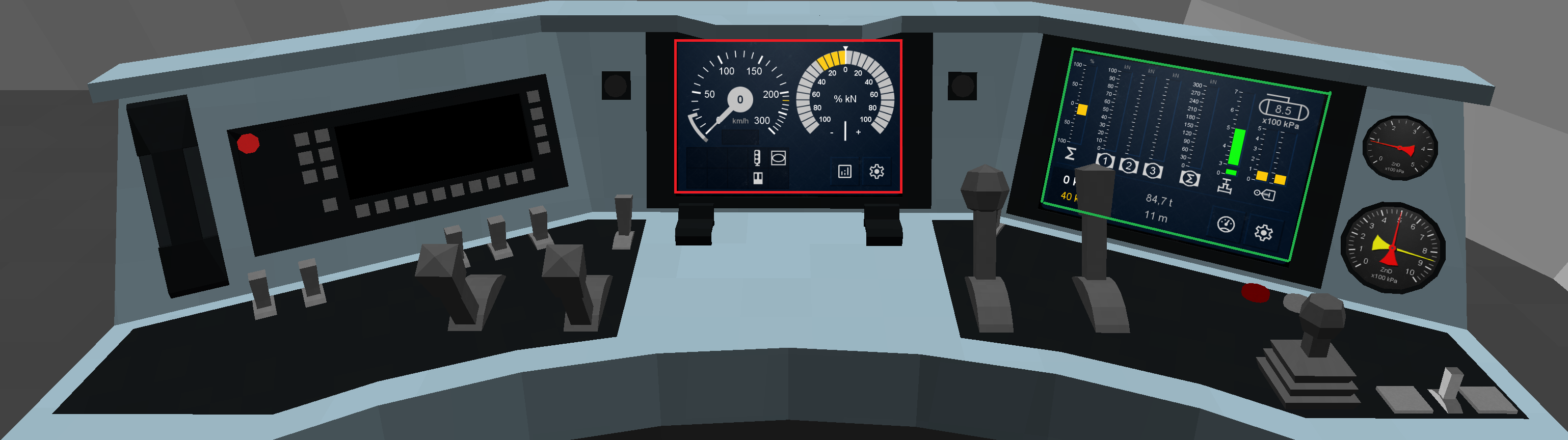
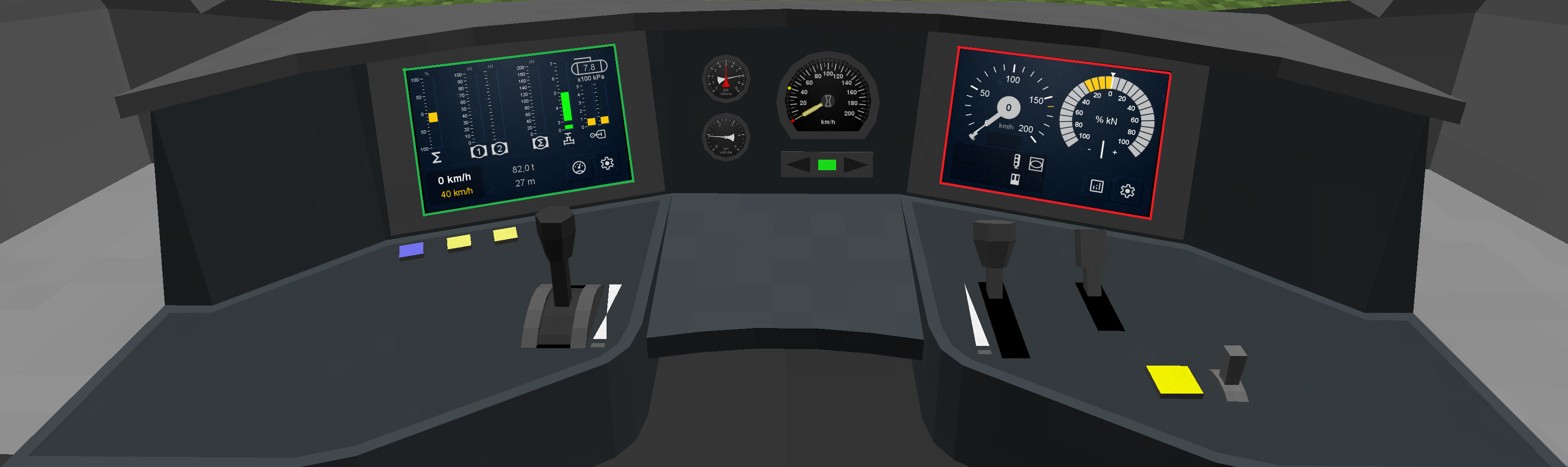
MTCS Display
MTCS is short for "Minecraft Train Control System". This is where you can view most of the immediately relevant train stats (e.g. speed, tractive effort, status bulbs). This is also where upcoming MTCS speed limits are displayed.
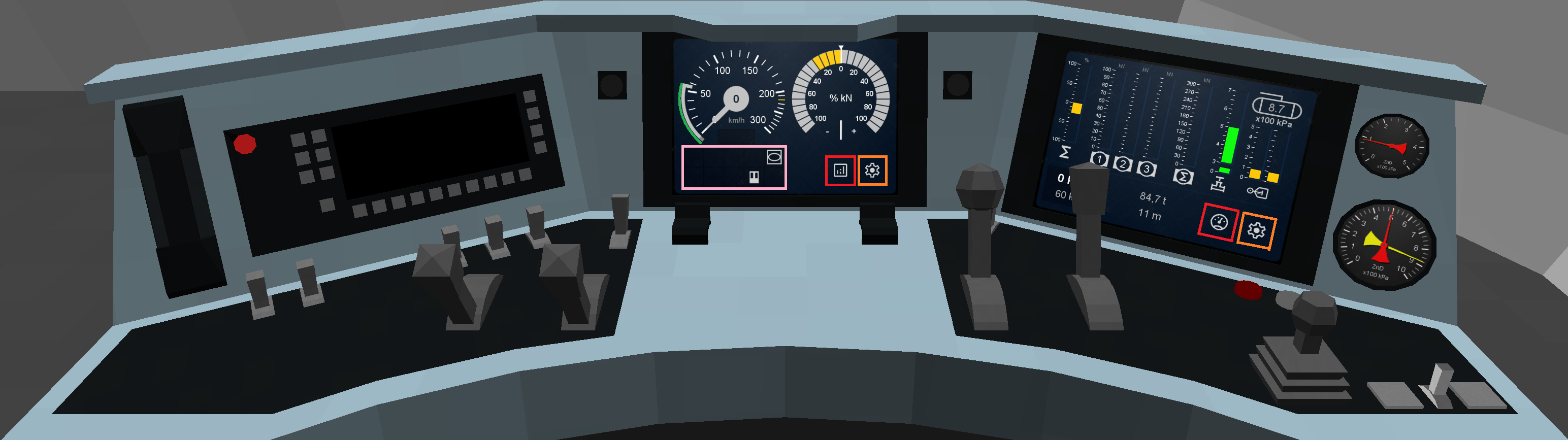
The MTCS Display consists of 3 main segments and two control buttons.
| Location/Colour | Name | Function |
| Top left dial | Speedometer | Displays the current train speed together with the currently valid MTCS speed limit. |
| Top right dial | Tractive effort | Displays the trains currently applied tractive effort or brake force. |
| Lower left/pink | Status bulbs | Displays current status messages for the train driver. This is where you can see e.g. "Sifa" or the "doors status" (open/closed). |
| Lower right/red | Switch MTMS/MTCS |
This changes the selected displays role. MTCS display becomes a MTMS display and vice versa. |
| Lower right/orange | Settings | This opens the train cabs settings. |
The settings page is home to the train cabs settings. This is where you can enable autodrive or make doors open/close automatically.
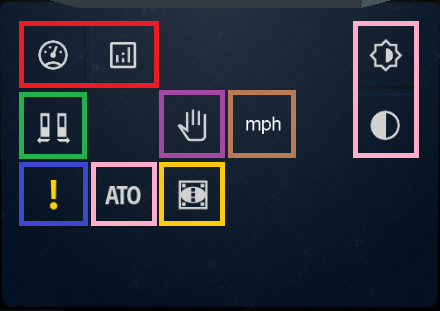
| Location/Colour | Function |
| Red | Return to MTMS/MTCS display view. |
| Green | Automatically open/close doors. |
| Blue | En-/Disable SIFA (dead mans switch). |
| ATO |
En-/Disable autodrive. |
| Yellow |
En-/Disable unsupervised driving (en-/disable MTCS). |
| Purple |
En-/Disable automatic brake application upon stopping. |
| Top right |
Customize display appearance (brightness - top, light/dark-mode - bottom) |
MTMS Display
MTMS is short for "Minecraft Train Management System".